FORM Inventory presentation art
Core Ops

FORM Inventory

Inventory control that is easier to trust and faster to use in the field. Inventory keeps items, stock levels, QR-based lookup, and operational consumption visible to the people who need to replenish and plan.

FORM operational tool
/inventory
Route
Flagship only
Inventory
Operational value
Running out of the right part at the wrong time slows operations, frustrates technicians, and hides the real cost of maintenance.
AI-ready
AI posture
Users still get a cleaner inventory workflow even when AI is supporting the background logic more than the front-end interaction.
Stock visibility

FORM Inventory keeps stock, QR lookup, and replenishment visibility close to the people doing the work.

The page needs to show that Inventory is not just a catalog. It is the operational stock layer that helps teams find what they need, see what is low, and keep small shortages from turning into expensive delays.

FORM Inventory lookup view
Lookup

Find the right item faster with search or QR scan.

Inventory is designed to get field users into the right item record quickly so they can adjust counts or confirm stock without losing time.

FORM Inventory stock visibility
Low-stock visibility

See issues before they stall the workday.

The tool helps teams understand what is low, what is out, and what needs attention before the missing item becomes tomorrow's fire drill.

Work Orders supporting inventory demand
Operational connection

Tie stock decisions back to real demand.

Inventory gets more useful when counts, usage, and work history all support better purchasing and replenishment judgment.

How teams use it
FORM Inventory is built for field speed first, then better control over time.
A good inventory tool should help users move fast in the moment while still giving leaders a better picture of how stock is being used.
Why it matters

Inventory problems are rarely just inventory problems. They become labor delays, missed deadlines, and rushed purchasing.

FORM Inventory gives operations teams a cleaner stock layer so they can find items, adjust counts, and understand low-stock risk without living in a clunky warehouse system.

Faster field lookup.
Cleaner item records and stock awareness.
Better replenishment discipline over time.
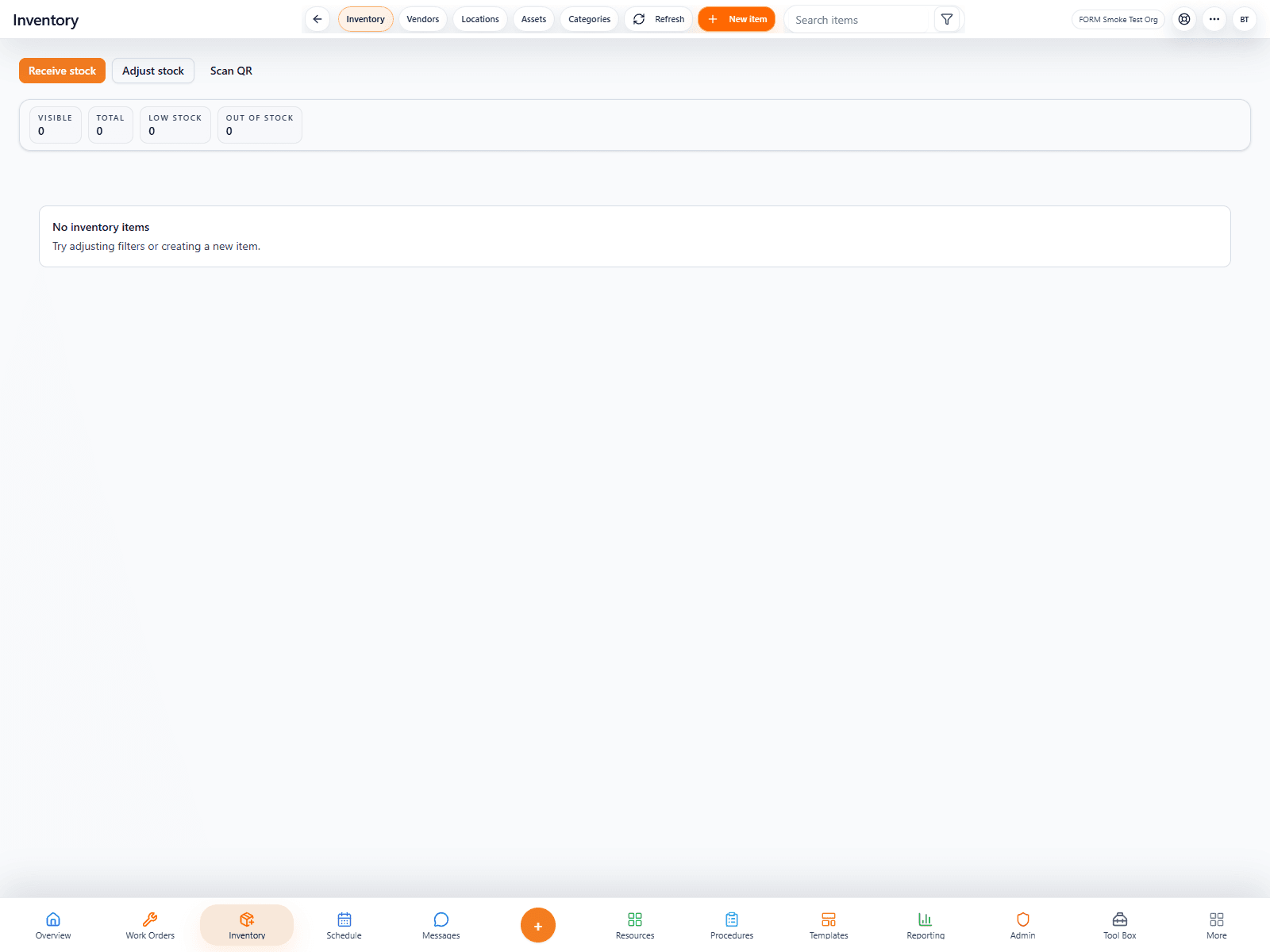
Inventory workspace
FORM Inventory main workspace
Who it is for

Inventory fits teams that need stock visibility to support operations, not warehouse complexity for its own sake.

This tool is especially relevant for maintenance, facilities, and operational teams that depend on having the right part at the right moment.

Field technicians
01

Get to the right part record faster

Users can scan or search into the item, confirm stock, and move on without losing time to bad navigation.

QR workflows
Fast search
Less hunting
Supervisors
02

See low-stock risk before it causes problems

The tool gives supervisors a cleaner picture of what is running low and where replenishment attention is needed.

Low-stock visibility
Count review
Less surprise purchasing
Operations leaders
03

Connect stock decisions to real operational demand

Inventory works best when it supports work orders, purchasing, and broader operational planning together.

Operational context
Smarter replenishment
Cleaner scaling path
Product in action
1 live screen that show how this product actually feels in the field.
1 live screen
We are using captured app screens here so the page feels like a real product launch page, not a placeholder brochure.
Featured view
Primary workspace
Screen 01
FORM Inventory screenshot 1
AI in the workflow

The AI value here is in better context, not louder interface gimmicks.

Inventory benefits from FORM's broader intelligence layer by connecting stock visibility to work history and downstream operational patterns over time.

Better demand context.
Smarter downstream recommendations.
A stronger bridge between stock data and operational reality.
Inventory intelligence
FORM Inventory operational context
More in this lane
Other core ops tools that strengthen the same story.
These neighboring tools help buyers understand that FORM is not just one page at a time — it is a coherent system with related workspaces supporting one another.