Core tool page

FORM Messages

Team messaging that stays close to the work instead of drifting into another silo. FORM Messages is designed to keep operational chat tied to the actual work. Instead of messaging living somewhere else and losing context, it stays closer to the tasks, team members, and activities it relates to.
AI-assisted communication summary
Core FORM tool
Product stage
Messages keeps team communication inside FORM so work, context, and follow-up stay connected.
Teams that coordinate a lot
Best fit
Admins who need a work-connected chat surface | Organizations that want better communication history
Full FORM platform pricing
Billing model
This workflow can live inside the full FORM ecosystem when the organization needs more than one operational surface.
Product overview

Messages is built around a specific operational job.

Messages explains the job it handles, the workflow it supports, and the interface teams use.

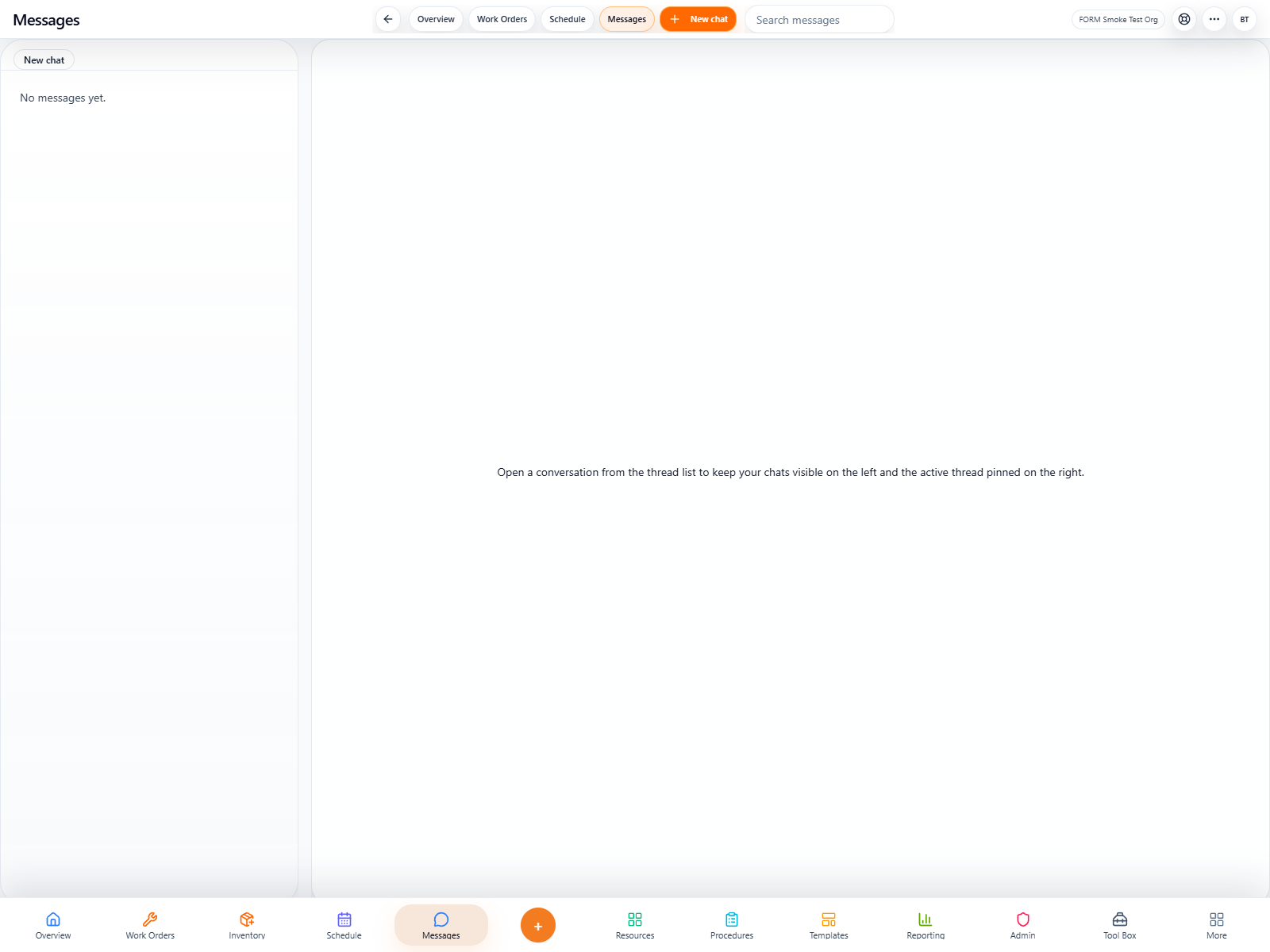
FORM messages list and conversation surface
Primary surface

Messages shown in its real operating context.

Messages keeps team communication inside FORM so work, context, and follow-up stay connected.

FORM messages list and conversation surface
Operational detail

A closer look at Messages in daily use.

When communication is disconnected from the work itself, teams lose context and repeat themselves; this keeps it anchored.

FORM messages list and conversation surface
AI + usability

A cleaner experience makes deeper capability easier to use.

AI can help summarize conversations, surface key actions, and make busy team chat easier to follow.

What it covers
Teams should know exactly what this tool does.
This section explains the use case, value, daily workflow, and AI support in plain language.
Overview

This product is a focused tool built to do one job exceptionally well.

FORM Messages is designed to keep operational chat tied to the actual work. Instead of messaging living somewhere else and losing context, it stays closer to the tasks, team members, and activities it relates to.

Operational messaging that stays connected to work
Conversation history tied to people and context
A simpler way to keep team communication usable
Conversations
FORM messages list and conversation surface
Why teams choose it

Why teams would choose Messages first.

This section explains who the product is for, what problem it solves, and how it fits into FORM.

Use case
01

A focused product with a clear mission

FORM Messages is used for team conversations, follow-up, and quick communication that should stay close to the work being discussed.

Teams that coordinate a lot
Admins who need a work-connected chat surface
Organizations that want better communication history
AI value
02

Practical AI support

AI can help summarize conversations, surface key actions, and make busy team chat easier to follow.
AI-assisted communication summary
Open a conversation, send the update, and use the message history as part of the operational record.
When communication is disconnected from the work itself, teams lose context and repeat themselves; this keeps it anchored.
Expansion path
03

Start with this workflow and add more when needed

This workflow can be the starting point, while pricing stays under the same FORM contract structure.

Every core CMMS workflow lives under the same FORM contract.
Use specialist pages to confirm fit before implementation.
Add more workflows later when needed.
Real app screens
1 real app screen
1 real app screen
Captured from the working app with real operating data. No rendered mockups.
Featured view
Conversations
Screen 01
FORM messages list and conversation surface
Powered by AI

How AI supports the workflow in real use.

AI can help summarize conversations, surface key actions, and make busy team chat easier to follow.

Best for: Teams that coordinate a lot | Admins who need a work-connected chat surface | Organizations that want better communication history
Use case: FORM Messages is used for team conversations, follow-up, and quick communication that should stay close to the work being discussed.
How to use it: Open a conversation, send the update, and use the message history as part of the operational record.
AI-assisted workflow
FORM messages list and conversation surface
FORM pricing
FORM uses one contract for every core workflow.
Whether this page is the entry point or not, organizations still buy the same FORM contract structure and get the full CMMS toolset under one account. Plus and Pro start with a 14-day card-on-file trial, while Enterprise is handled by quote.
Monthly
$39
per user / month
Plus is $39 per user monthly and Pro is $79 per user monthly, both on a 12-month contract billed monthly after the 14-day card-on-file trial.
Start monthly contract
Annual
$408
per user / year
Plus is $408 per user annually and Pro is $828 per user annually when paid up front for the full 12-month term. Enterprise pricing is handled by quote.
Start annual contract
Where it can lead
Related products in the wider family.
Related products help teams see the next logical workflows in the FORM family.
Need more than one workflow?

FORM connects this product with the rest of the platform.

If this workflow is part of a larger operation, FORM keeps it connected to the rest of the system under the same contract.