
FORM Layouts presentation art
Specialized Tools

FORM Layouts

Visual layout intelligence for real operational teams. A visual planning and blueprinting workspace for layouts, placements, measurements, and operational space control.

AI-assisted
/tool-box/layout
Route
Standalone now
Layouts
Operational value
Space planning gets messy fast when it relies on memory, rough sketches, or slow CAD-like tools that are not built for operational speed.
AI-assisted
AI posture
Users get a more intuitive planning experience than traditional heavy blueprint tools.
Spatial planning

FORM Layouts gives teams a visual workspace for planning rooms, spaces, and operational arrangements without the overhead of traditional design tools.

This page should make the product feel practical: fast drafting, useful measurement awareness, living layout references, and better coordination around physical space.

FORM Layouts drafting view
Layout drafting

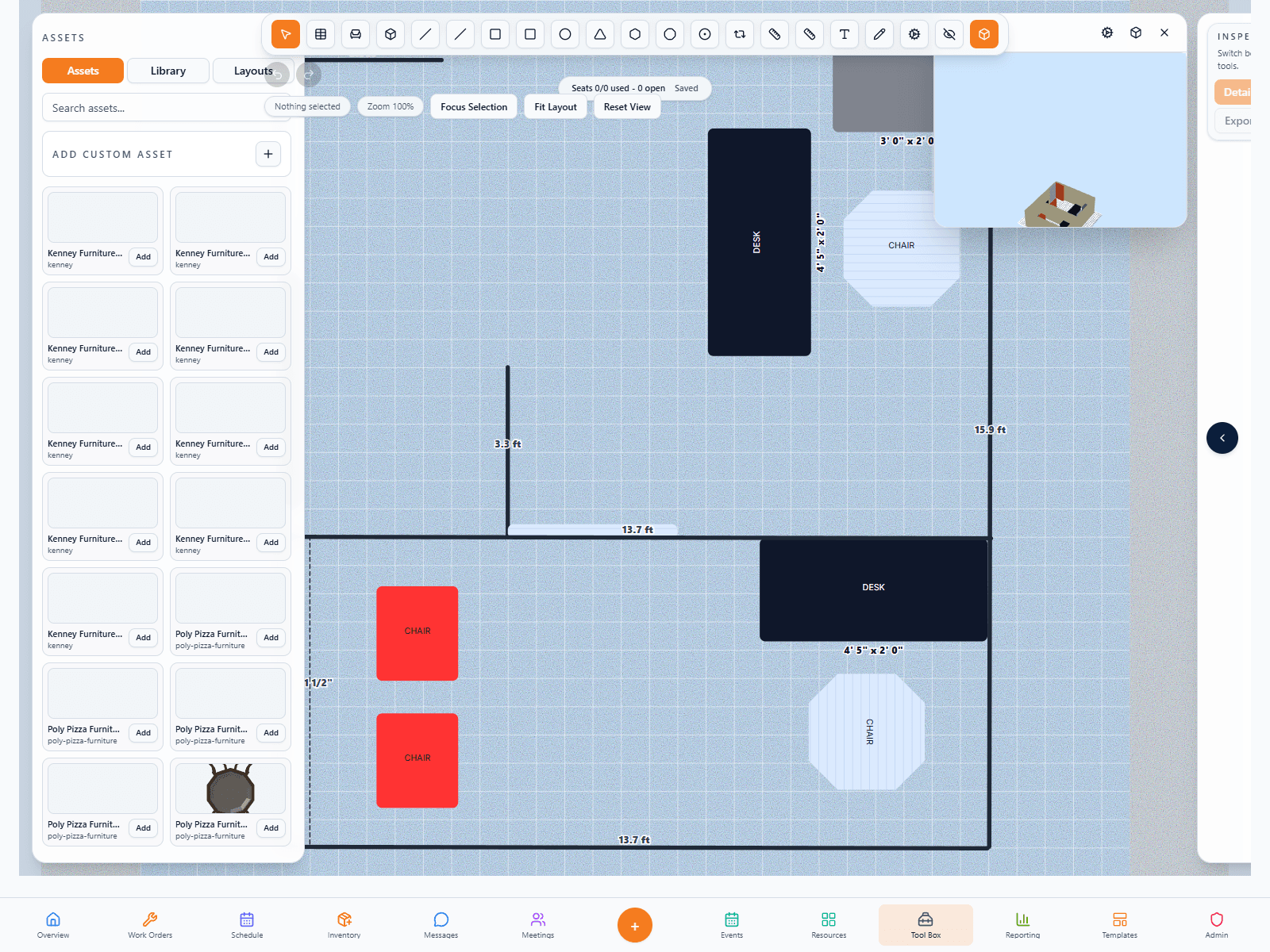
Build spaces quickly from a blank canvas, image, or blueprint.

Layouts is designed for speed, clarity, and real-world operational planning rather than the complexity of heavy design software.

FORM Layouts living reference
Operational reference

Keep the plan useful after it is drawn.

The strongest use case is when the layout becomes a living reference for setup, room understanding, and operational coordination.

FORM Layouts collection organization
Collections

Organize layouts across venues and spaces more cleanly.

Collections support multi-space operations where teams need many plans without losing structure or readability.

How teams use it
Layouts is built for operational teams who need visual control over real spaces.
The workflow has to stay intuitive enough for day-to-day use while still supporting measurements, asset placement, and reuse later.
Why it matters

Physical planning gets messy fast when the team relies on memory, screenshots, or slow design tools that are not built for operations.

FORM Layouts gives organizations a faster, more intuitive way to plan and explain space so the visual side of operations becomes easier to coordinate.

Faster than formal design software for day-to-day ops.
More durable than rough sketches and screenshots.
Much easier for teams to collaborate around.
Layout planning workspace
FORM Layouts main workspace
Who it is for

Layouts is a fit for teams that need room planning and space coordination to become more visual and more reusable.

This tool is especially strong for event-heavy properties, facilities teams, and multi-space organizations that routinely need to explain or revise physical arrangements.

Event teams
01

Plan and revise room setups faster

The tool supports cleaner room planning so setup communication becomes easier and less dependent on verbal explanation.

Room layouts
Visual collaboration
Cleaner revisions
Facilities
02

Keep working references for operational spaces

Facilities and operations teams can maintain useful layout references instead of relying on memory or one-off drawings.

Reference plans
Space understanding
Reusable visual context
Multi-space organizations
03

Organize many layouts without losing order

Collections make the tool much more practical when one organization manages many venues, rooms, or properties.

Collections
Cleaner organization
Less clutter
Product in action
1 live screen that show how this product actually feels in the field.
1 live screen
We are using captured app screens here so the page feels like a real product launch page, not a placeholder brochure.
Featured view
Primary workspace
Screen 01
FORM Layouts screenshot 1
AI in the workflow

AI expands how spatial context can be interpreted and reused later.

The real value is helping teams understand layouts faster, connect them to related tools like Site Map, and make visual operational context more useful across the ecosystem.

Smarter spatial interpretation.
Better support for wayfinding and site context later.
A stronger visual knowledge layer inside FORM.
AI-supported layout context
FORM Layouts AI-supported planning
More in this lane
Other specialized tools tools that strengthen the same story.
These neighboring tools help buyers understand that FORM is not just one page at a time — it is a coherent system with related workspaces supporting one another.